Main numbers, fixed numbers and groups
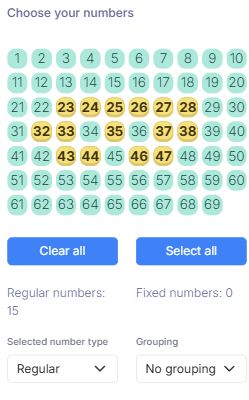
Select from 1 to 69, distinguish regular and fixed numbers, and configure grouping before generation. Each basic entry uses five main numbers.
Keep the five main numbers and the red Powerball separate. Work with ready-made strategies or request custom coverage, then filter, check results and prepare state-specific playslips. SPLoto.Net provides combinatorial and statistical analysis tools; it does not accept or register lottery bets.
Main numbers, the Powerball and the output template have different roles. Keep your criteria explicit from generation to checking.
Select from 1 to 69, distinguish regular and fixed numbers, and configure grouping before generation. Each basic entry uses five main numbers.
Select from 1 to 26 in a separate panel. Distribute selected Powerballs sequentially or randomly, or combine each main entry with all selected bonus numbers.
Compare compatible covering systems by conditional guarantee, selection size and budget. Choose your numbers and continue with the selected system in the Laboratory.
Configure your own pool, condition and guarantee. Request a covering calculation for a setup not yet in the library, subject to configuration and processing limits.
Review sums, even and odd numbers, rows, columns, sequences and comparisons with past draws. Enable the intended filters and compare the remaining entry count.
Check the chosen draw date, inspect main and bonus matches and explore simulated or historical results. Read pending prize data separately from confirmed results.
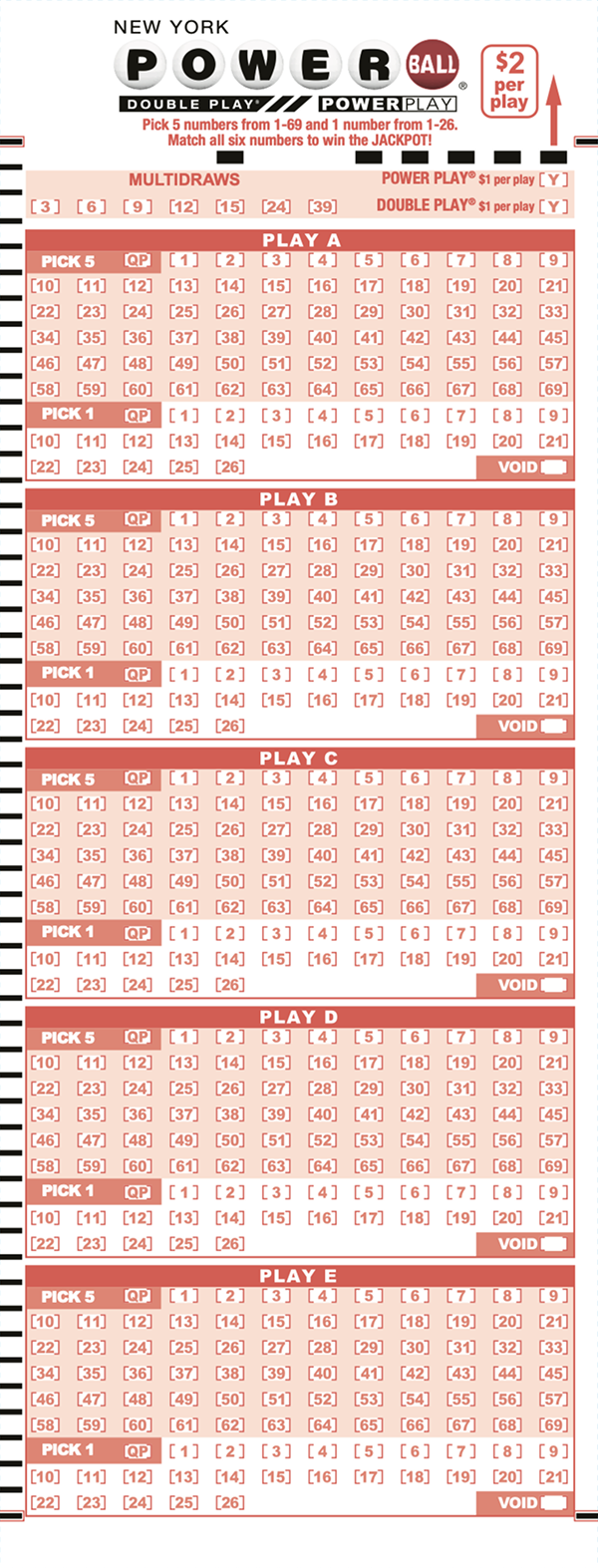
Choose a registered state template, review its panels and options, and calibrate the printer. A template image is a preparation aid, not a registered ticket.
Use a desktop or mobile browser, save your study to your account and review its cloud-copy status before resuming it on another device.
Follow the guide for number selection, Powerball handling, Strategies, covering conditions, filtering, playslips, printing, checking and reports.
The main-number combinations and the Powerball are separate steps. The bonus insertion mode determines how they are brought together.
Assign one selected Powerball to each main-number combination, sequentially or randomly. A list of 56 main combinations remains 56 entries.
Combine each of the 56 main combinations with three selected Powerballs: 56 × 3 = 168 entries.
Use a covering system or filters to define a different set. Recheck the final quantity, conditions and cost before preparing output.
Combinatorial example without fixed numbers, groups or filters. Main-number coverage and matching the Powerball are separate conditions.
Actual application screenshots. Selected numbers and displayed values are examples from the captured study, not recommendations or predictions.
Actual interface: 1–69, fixed numbers and grouping.
Enlarge screenshot ↗
Full combinations, covering systems and random entries use the same Laboratory workflow.
Enlarge screenshot ↗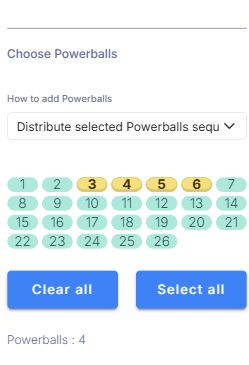
An independent pool from 1 to 26, with distribution or combination options.
Enlarge screenshot ↗Complete plan
Single lottery plan
No. It is a combinatorial and statistical analysis tool for selecting numbers and organizing studies. It does not accept, register or sell lottery entries. Participation and payment take place through the lottery operator’s official channels.
Yes. Strategies provides already computed systems. The Laboratory also allows a custom request for your parameters, including configurations not yet in the library. Feasibility and processing time depend on the setup and limits.
No. Read the main-number condition and guarantee separately from the bonus pool. The bonus insertion mode changes how selected bonus numbers complete the entries; filtering can also compromise the original coverage.
The same game can have different state layouts, panels and options. Select the intended registered template and calibrate it before printing. The image on this page is a New York reference, not a universal template for every jurisdiction.
Official game information: Florida Lottery ↗
Explore the Laboratory and use the guide to understand each step, from selecting numbers to checking the final set.